Icon Fonts
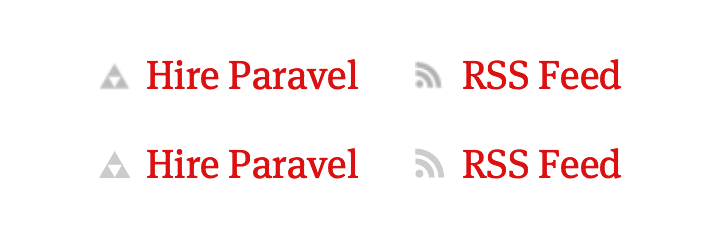
Chris Coyier’s Icon Fonts are Awesome demo pushed me up to the edge, and seeing how fuzzy image icons look next to ultra-crisp retina display text threw me over. Now, I’m testing out an icon font on this site for the comments, 3 footer links, and even my logo (why not push it all the way). The icons I use are a hodge-podge, pulled from my own stuff, Glyphish, and Gedy Rivera, so I had to toss them all into a font.
![]()
For that, I used the fantastically simple mac app, Glyphs. It gets an A+ for suiting my needs perfectly. I put in a B+ amount of effort for results I’m pleased as punch with, though as I learn & test I may shoot for minor improvements from time to time. The font icons may render a tad on the jagged side for older machines, but it’s a fair tradeoff when you’re browsing from a retina iPad.
In addition to Icon Fonts are Awesome, check out Displaying Icons with Fonts and Data- Attributes from John Hicks for help with implementation. If you’re looking to create custom web fonts, check out Shifticons.
Update: 5/20/12
I recently found this Github post on the making of their icon font, Octicons, extremely helpful. I’ve also started a collection of icon font goodness over at Gimme Bar.
18 Responses
Leave a comment or contact me via Twitter @TrentWalton
We have been utilizing media queries to provide retina icons, logos, and presentational imagery for the last year at Echo, aided by a custom SASS Mixin (https://github.com/3onesix/SASS-Mixins). What benefit does using a font provide over using images with media queries?
@James Finley: At the moment I’m digging how easily scalable icon fonts are, especially when they’re positioned alongside text they need to scale with. Plus, you can do things like change their color & CSS transition them on hover.
Even your logo is a character in the font? Fannnnncy.
This is impressive. I’ve been considering something like this for our projects here at WebMD. Did you use the Glyphs or Glyphs Mini software. The Glyphs Mini app (http://itunes.apple.com/us/app/glyphs-mini/id469036911?mt=12) looks fairly powerful, but I wanted to see if there were any drawbacks that you knew about.
Cheers!
@Jonathan Simcoe: Thanks! I used the regular as a demo, but I’m sure I’ll be buying one or the other. If you try Mini, let me know how it goes.
I used the same technique on the menu icons of my blog and the difference in sharpness is very noticeable (+ reduced HTTP requests etc). The only downside is that earlier versions of IE don’t display :before or :after psuedo-elements (even IE8) so your logo just won’t show up which could be an issue..? Unless there is some fix for this which I’m not aware of.
Nonetheless, thanks for the tip-off on glyphsapp!
This is a great idea, but there’s already a word for “icon fonts” — dingbats.
@Benjamin Lamb
But “icon fonts” sounds more sophisticated. ;)
@Trent
I heard back from Georg, the creator of Glyphs & Glyphs Mini and he informed me that Glyphs Mini was expressly made for the production of “icon fonts” and that it exports .otf, which can be used in conjunction with FontSquirrel’s excellent tools. Will be purchasing a copy for work. I’ll let you know how it works.
Trent, any tips on getting started with Glyphs app?
Thanks!
@Ryan Schroeder: Howdy! I’m no expert, but is there anything specific you’re trying to do?
Thanks for this article, Trent. It prompted me to try using an icon font for the logo and graphics on an upcoming refresh of my site, and I’m very happy with the results. So exciting when a new technique can have such a dramatic impact!
After reading this article I’m using Glyphs Mini with Illustrator and so far it’s working flawlessly
Great article! But how about using SVG graphics instead?
@Marcello Damasceno: In my brain, I’m thinking it’d be more file-size and more http requests.
Great, I think this is the future of modern web typography- I will try to use it on my pages.
Thanks for this. We put together a little demo using the Iconic Icon set by somerandomdude
You can change the size, background and icon colors to get a real feel for the power of this technique.
http://demos.themesto.re/2012/css-icon-buttons/
@Neil Charlton: Great work!
@Neil Charlton: realy good work!!!